
Text to CAD with AI
Describe the part and its dimensions. FabAgent, the AI built into FabDesk, models it with real sketches and features you can edit. Make the drawing, export STEP, and get the part made.
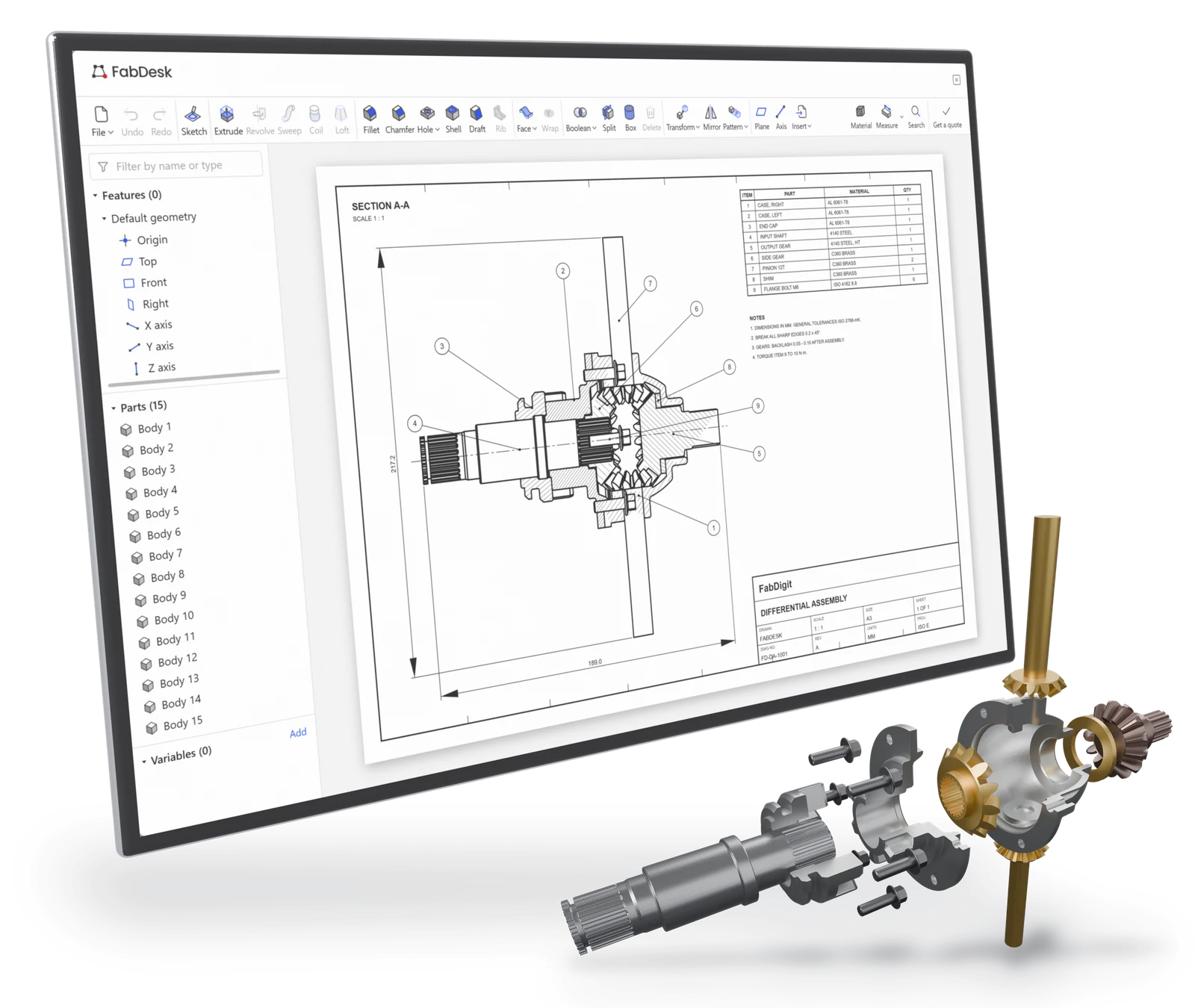
From a description to a part
FabAgent sits in the FabDesk side panel and works on the part you have open. Everything it adds is an ordinary feature, the same as the ones on the toolbar.
- 01
Describe
Say what the part is and give its dimensions: hole sizes and positions, threads, the edges to round.
- 02
Build
FabAgent adds the sketches and features to the tree in one step, so one undo takes the whole request back.
- 03
Change
Edit any feature by hand, or ask for the next change in plain words.
- 04
Use it
Make the drawing, export STEP, STL or PDF, or get the part priced and made by FabDigit.
What you can ask for
| Area | What it does |
|---|---|
| Solid features | Sketches on a plane or a face, extrude and cut, revolve, sweep, loft, coil, rib, shell, draft, fillet and chamfer, patterns and mirrors. |
| Holes and threads | Plain, counterbored and countersunk holes, tapped holes by thread size, clearance holes for a given screw, and modeled threads. |
| Sheet metal | A sheet metal part from a sketch, with edge and miter flanges, hems, sketched bends, closed corners, vents and tabs. |
| Changes | Edit an earlier feature’s values, or suppress, delete or rename it. |
| Materials | Gives a body a material from the FabDesk library and tells you its mass. |
| Drawings | Places drawing views, sections and details, with dimensions, tolerances and fits, datums, GD&T, surface finish symbols and hole tables, and the flat pattern of a sheet metal part. |
| Assemblies | Inserts and mates parts and adds standard ISO screws, washers and nuts at matching holes. |
| Measure | Areas, diameters, distances between faces, hole spacing and angles on the current model. |
A feature tree, not a mesh
Many text-to-3D tools hand you a polygon mesh. FabAgent builds a parametric CAD model with a feature tree, so every hole and fillet stays a value you can change.
| Output | How do you edit it? | Good for |
|---|---|---|
| Mesh (STL, OBJ, GLB) | Push triangles around; there is no feature history | Rendering, games, 3D printing |
| Imported STEP solid | Direct edits on faces, without the original features | Sending to a supplier or another CAD program |
| Code (a script that makes the model) | Edit the script and run it again | People who model in code |
| Feature tree (FabDesk) | Change values in the tree or ask FabAgent | Parts you will keep changing, drawings, manufacturing |
Prompts that work
- Give units and say what each dimension measures: "120 mm OD, 15 mm thick, 50 mm bore."
- Give hole types and positions: "12 M6 tapped holes on a 100 mm bolt circle" or "4 clearance holes for M5 screws, 6 mm in from each corner."
- Build in stages: the main body first, then holes and fillets.
- Point at what is there: "the top face", "the bore", "the four corner holes". FabAgent reads the part before it changes it.
FAQ
What is text to CAD?
Text to CAD turns a written description of a part into a 3D CAD model. In FabDesk the model comes with a feature tree, so you can change its dimensions afterwards.
Is FabAgent free?
Yes. FabAgent is built into FabDesk and free to use.
Can I edit the model FabAgent makes?
Yes. Every sketch and feature it adds is an ordinary FabDesk feature. Change a value by hand, roll back, delete a step, or ask FabAgent for the change.
Can AI make a 2D drawing from the part?
Yes. Ask for the drawing and FabAgent lays out the views with dimensions; ask for sections, details, tolerances, GD&T or a hole table, then export the sheet as PDF or DXF.
Which file formats can I export?
STEP and IGES for CAD, STL, 3MF, OBJ, GLB, FBX and USDZ for meshes, PDF, DXF and SVG for drawings, and .fabdesk to keep the model editable.
Does it make sheet metal parts?
Yes. FabAgent builds sheet metal parts with flanges, hems, sketched bends, vents and tabs, and the drawing can show the flat pattern.
Can FabAgent add fasteners to an assembly?
Yes. It inserts and mates parts and adds standard ISO screws, washers and nuts at matching holes.
Do I need to install anything?
No. FabDesk and FabAgent run in Chrome or Edge on Windows, macOS, Linux and ChromeOS.
Can I get the part made?
Yes. Quote this part sends the model to FabDigit in the material and quantity you choose; eligible parts are priced instantly.
Describe your first part
FabAgent is in the FabDesk side panel. Free, nothing to install.