
Tinkercad alternatives
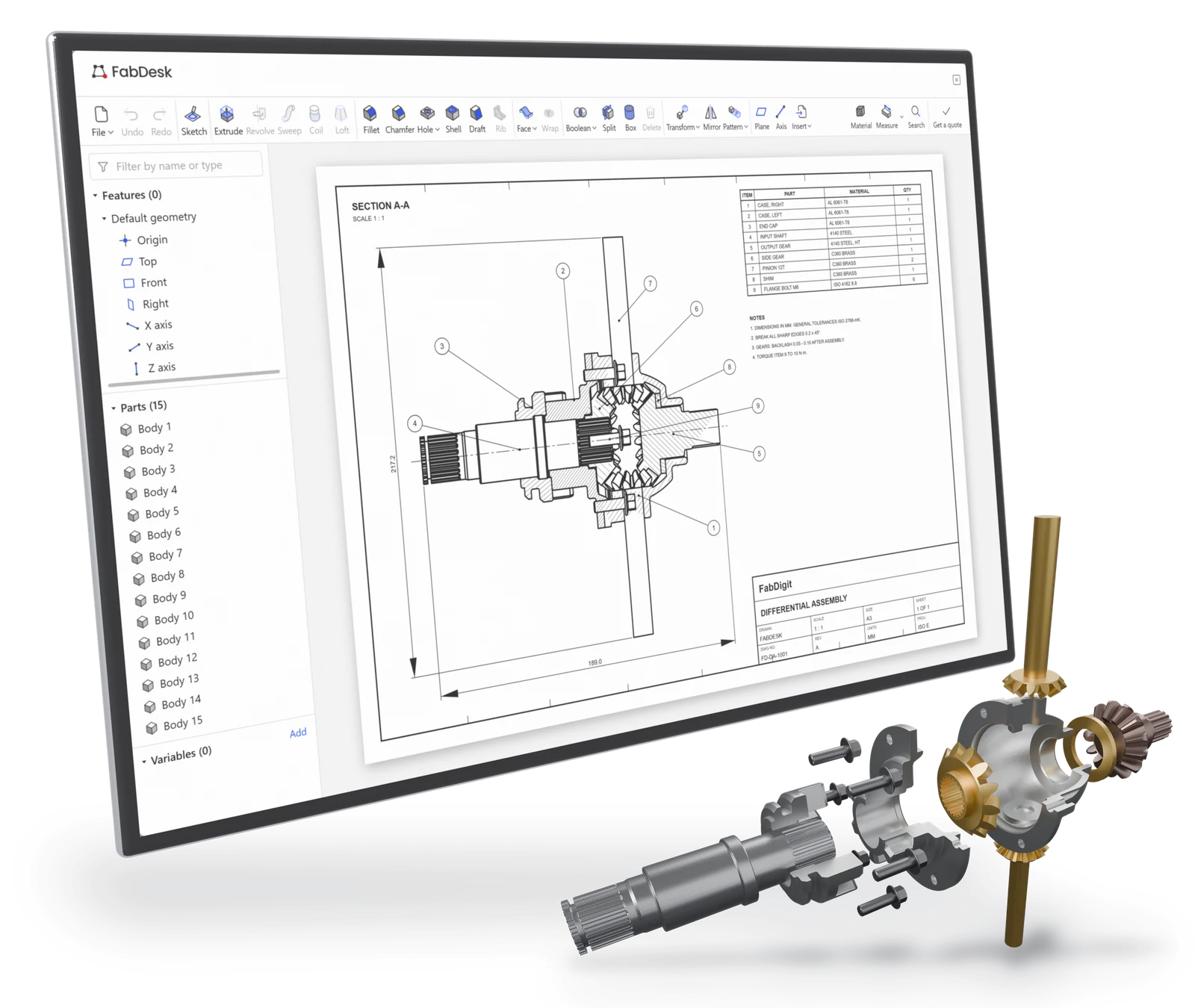
Tinkercad builds parts from ready shapes and holes, in the browser, for free. When a part needs exact dimensions, fillets on any edge, a drawing or a STEP file for a machine shop, FabDesk does that in the browser too.
When Tinkercad is not enough
Tinkercad is quick for shapes you can stack and subtract. These are the jobs that usually send people looking for the next tool.
| You need | In Tinkercad | In FabDesk |
|---|---|---|
| Exact sizes that stay linked | Type the size of each shape | Sketch with dimensions and relations, then extrude or revolve |
| Rounded or bevelled edges | Where a shape offers a radius | Fillet and Chamfer on any edge |
| Holes for screws | Place a cylinder hole by hand | The Hole tool, with standard screw sizes and threads |
| Change the part later | Move and resize the shapes | Edit any feature in the feature tree; the rest updates |
| A 2D drawing | No | Views, dimensions and notes; PDF and DXF |
| A STEP file for a machine shop | No: STL, OBJ, glTF and SVG | Yes, plus STL, 3MF, OBJ and more |
| A price for making it | No | Quote this part: CNC, sheet metal or 3D printing |
Bring a Tinkercad design into FabDesk
- 01
Export STL from Tinkercad
Open the design, choose Export, then .STL.
- 02
Open it as a solid
Drop the STL on the STL to STEP page. On a computer it opens in FabDesk already converted to one solid body.
- 03
Add precise features
Sketch on its flat faces, cut holes with the Hole tool, add fillets, then save STEP or price the part.
An STL holds triangles, so curved faces stay faceted after the conversion; flat areas become single faces you can sketch on. Meshes up to 200,000 triangles convert.
FabDesk, Tinkercad and other free CAD
All four can be free. They differ in what they install, what they ask for and what they export.
| Program | Runs on | Cost | Free forpaid work | Privatefiles | Noinstall | Nosign‑up | AImodeling | Simulation(FEA) | NativeCAD files | 2Ddrawings | Featuretree | STEPexport | Quotebuilt in |
|---|---|---|---|---|---|---|---|---|---|---|---|---|---|
| FabDesk | Browser on Windows, macOS, Linux and ChromeOS | Free plan, commercial use allowed | Yes | Yes | Yes | Yes | Yes | Yes | Yes | Yes | Yes | Yes | Yes |
| Tinkercad | Browser and iPad | Free | Yes | Yes | Yes | No | No | No | No | No | No | No | No |
| Onshape Free | Browser, iOS and Android | Free for non-commercial work; every document is public | No | No | Yes | No | No | No | Yes | Yes | Yes | Yes | Add-in only |
| Fusion for personal use | Installed app for Windows and macOS | Free for non-commercial use, revenue under $1,000 a year | No | Yes | No | No | Limited | Limited | Limited | Limited | Yes | Yes | Add-in only |
Free for paid work: the free plan allows commercial use. Private files: the free plan keeps your designs private (FreeCAD files stay on your computer). “Add-in only” means the program needs a third-party add-in. Onshape’s AI Advisor answers questions but does not model; Autodesk Assistant in Fusion is a technology preview that edits existing models. Quote built in: Quote this part prices the open model in the material and quantity you pick and checks it for features that are hard or costly to make.
FAQ
What is a good free alternative to Tinkercad?
For precise parts in the browser, FabDesk: free, no installation, with dimensioned sketches, fillets, a feature tree, 2D drawings and STEP export. Onshape Free and Fusion for personal use are free for non-commercial work; FreeCAD is free and installs.
Can I import a Tinkercad design into FabDesk?
Yes. Export it from Tinkercad as STL and drop it on the STL to STEP page; it opens in FabDesk as one solid body you can add features to.
Is FabDesk harder than Tinkercad?
It is feature-based CAD: you sketch a profile with dimensions and turn it into a feature. That takes a little longer to learn than stacking shapes, and it keeps the sizes exact when you change the part.
Does FabDesk work on an iPad?
Not for modeling: FabDesk needs a computer with a mouse and a window at least 768 px wide. Tinkercad has an iPad app.
Does it run on a school Chromebook?
Yes, in Chrome, with nothing to install. A school may block new sites; ask the administrator to allow fabdigit.com.
Can I use it for commercial work?
Yes. FabDesk can be used for personal and commercial projects, and you keep ownership of what you design.
Is FabDesk free?
Yes. The free plan covers parametric part modeling, assemblies, 2D drawings and STEP, PDF and DXF export. Modeling needs no account; saving and exporting need a free one.
Sources
Other programs checked on their own pages on 18 November 2026; plans change, so read the current terms before you choose. Names identify the products compared and belong to their owners.
Model your next part in FabDesk
Free in Chrome or Edge, on Windows, Mac, Linux and Chromebook.