
Fusion 360 alternatives
Fusion for personal use is free but non-commercial, with 10 editable documents and print-only drawings; the commercial plan is $680 a year. Here are six alternatives and what each allows.
What Fusion costs and allows
Autodesk renamed Fusion 360 to Fusion. It runs on Windows, macOS and in a web browser; the iPad and Android apps view and mark up but do not model.
| Plan | Price | Who can use it | Limits |
|---|---|---|---|
| Fusion | $680 a year, or $85 a month | Anyone, commercial use | Extensions from $495 a year |
| Fusion for personal use | Free | Personal, non-commercial projects; under $1,000 a year of revenue; not at work | 10 editable documents, single-sheet print-only drawings, no simulation or generative design |
| Fusion for startups | $150 for 3 years | Qualifying startups | See Autodesk’s terms |
Why people leave Fusion
The free plan is non-commercial
Selling a part, or modeling it at work, needs the $680 plan.
10 editable documents
Personal use keeps 10 documents editable; the others stay stored but inactive.
Drawings are limited
Personal use makes single-sheet drawings for print only.
No Linux or ChromeOS app
The installed app runs on Windows and macOS only.
Six alternatives at a glance
Price, whether the free option allows commercial work, and where it runs. FabDigit makes FabDesk and lists it first.
| Program | Price | Commercial use | Runs on | Notes |
|---|---|---|---|---|
| FabDesk | Free plan | Yes | Browser on Windows, macOS, Linux, ChromeOS | Parts, assemblies, drawings; STEP, PDF and DXF export with a free account |
| FreeCAD | Free, open source (LGPL 2.1) | Yes | Windows 10+, macOS 12+, Linux | Parts, assemblies and drawings in workbenches; works offline |
| Onshape | Free for non-commercial work, every document public; Standard $1,500 a year | Paid plans only | Browser, iOS, Android | Parts, assemblies, drawings, STEP |
| Solid Edge Community Edition | Free | No, personal use only | Windows (as commercial Solid Edge) | Drawings carry a watermark; files do not open in commercial Solid Edge |
| Shapr3D | Free for 2 projects; paid plans | Paid plans | Windows, macOS, iPad | Free plan exports basic STL and 3MF only; STEP needs a paid plan |
| SOLIDWORKS desktop | $2,820 to $4,716 a year | Yes | Windows 10 and 11, 64-bit | The full desktop suite |
Prices are US list prices for one user, read on each vendor’s own pages on 18 November 2026; plans change, so check the current terms before you buy. Names identify the products compared and belong to their owners.
Pick by situation
| Your situation | Start with | Why |
|---|---|---|
| Free, and the part is for paid work | FabDesk or FreeCAD | Both allow commercial use on the free option |
| More than 10 active designs | FabDesk or FreeCAD | No document limit on either |
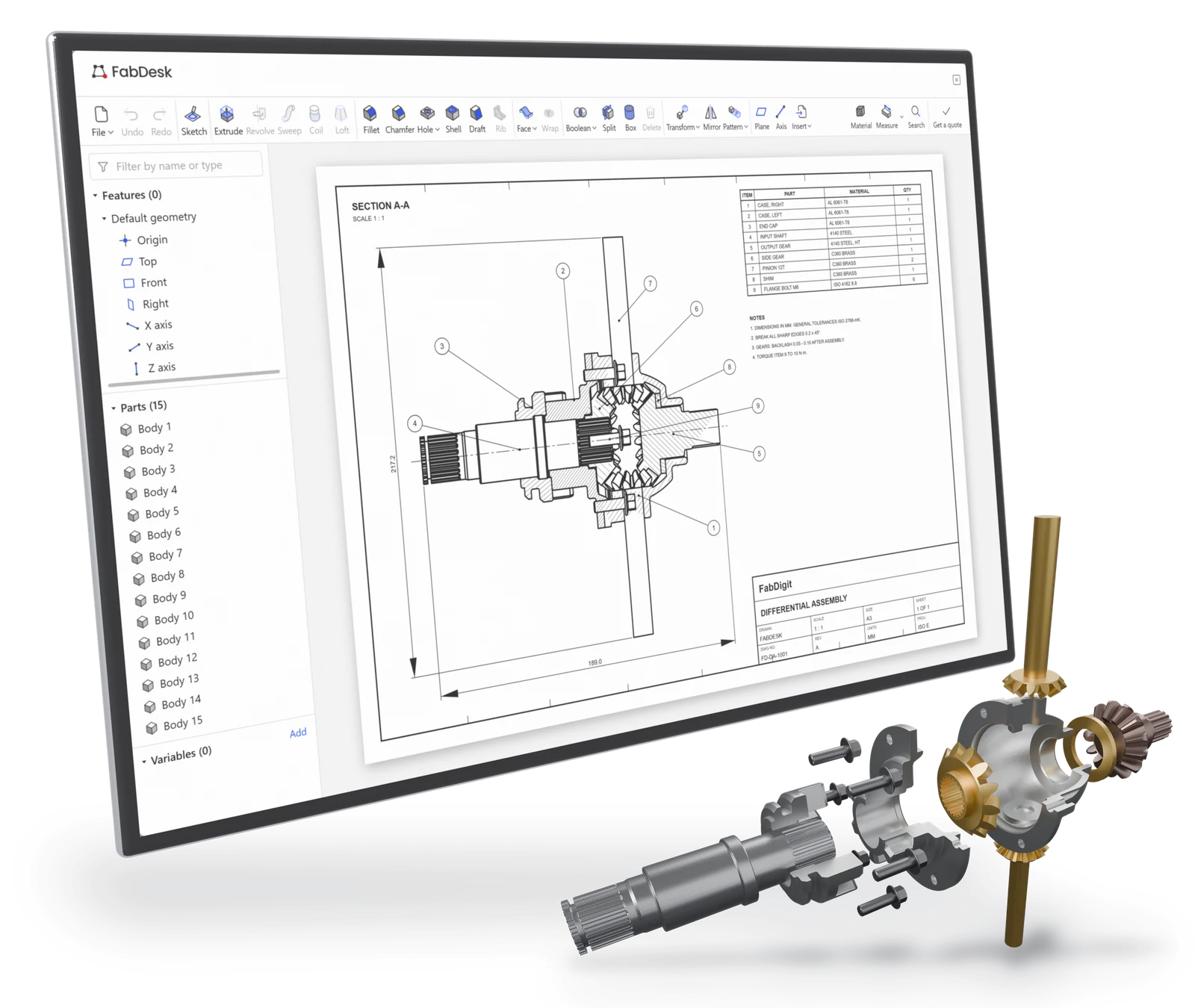
| Multi-sheet drawings, exported as PDF or DXF | FabDesk | Several sheets per drawing, saved as PDF or DXF |
| Linux or Chromebook | FabDesk, Onshape or FreeCAD | FabDesk and Onshape run in a browser; FreeCAD installs on Linux |
| CAM toolpaths in the same program | Stay with Fusion | None of the free alternatives here includes CAM |
| Cloud CAD for a team | Onshape | Versions and branching built in, from $1,500 a user a year |
| iPad modeling | Shapr3D | Built for touch and pencil; STEP export needs a paid plan |
Feature check
Licence, privacy, AI, simulation and the core CAD tools, side by side.
| Program | Runs on | Cost | Free forpaid work | Privatefiles | Noinstall | Nosign‑up | AImodeling | Simulation(FEA) | NativeCAD files | 2Ddrawings | Featuretree | STEPexport | Quotebuilt in |
|---|---|---|---|---|---|---|---|---|---|---|---|---|---|
| FabDesk | Browser on Windows, macOS, Linux and ChromeOS | Free plan, commercial use allowed | Yes | Yes | Yes | Yes | Yes | Yes | Yes | Yes | Yes | Yes | Yes |
| FreeCAD | Installed app for Windows, macOS and Linux | Free and open source | Yes | Yes | No | Yes | No | Yes | No | Yes | Yes | Yes | No |
| Fusion for personal use | Installed app for Windows and macOS | Free for non-commercial use, revenue under $1,000 a year | No | Yes | No | No | Limited | Limited | Limited | Limited | Yes | Yes | Add-in only |
| Onshape Free | Browser, iOS and Android | Free for non-commercial work; every document is public | No | No | Yes | No | No | No | Yes | Yes | Yes | Yes | Add-in only |
| SOLIDWORKS for Makers | Installed app for Windows, or a browser-only xDesign plan | $48 a year for either plan, personal projects under $2,000 a year | No | Yes | Limited | No | No | No | Limited | Yes | Yes | Yes | Add-in only |
| Tinkercad | Browser and iPad | Free | Yes | Yes | Yes | No | No | No | No | No | No | No | No |
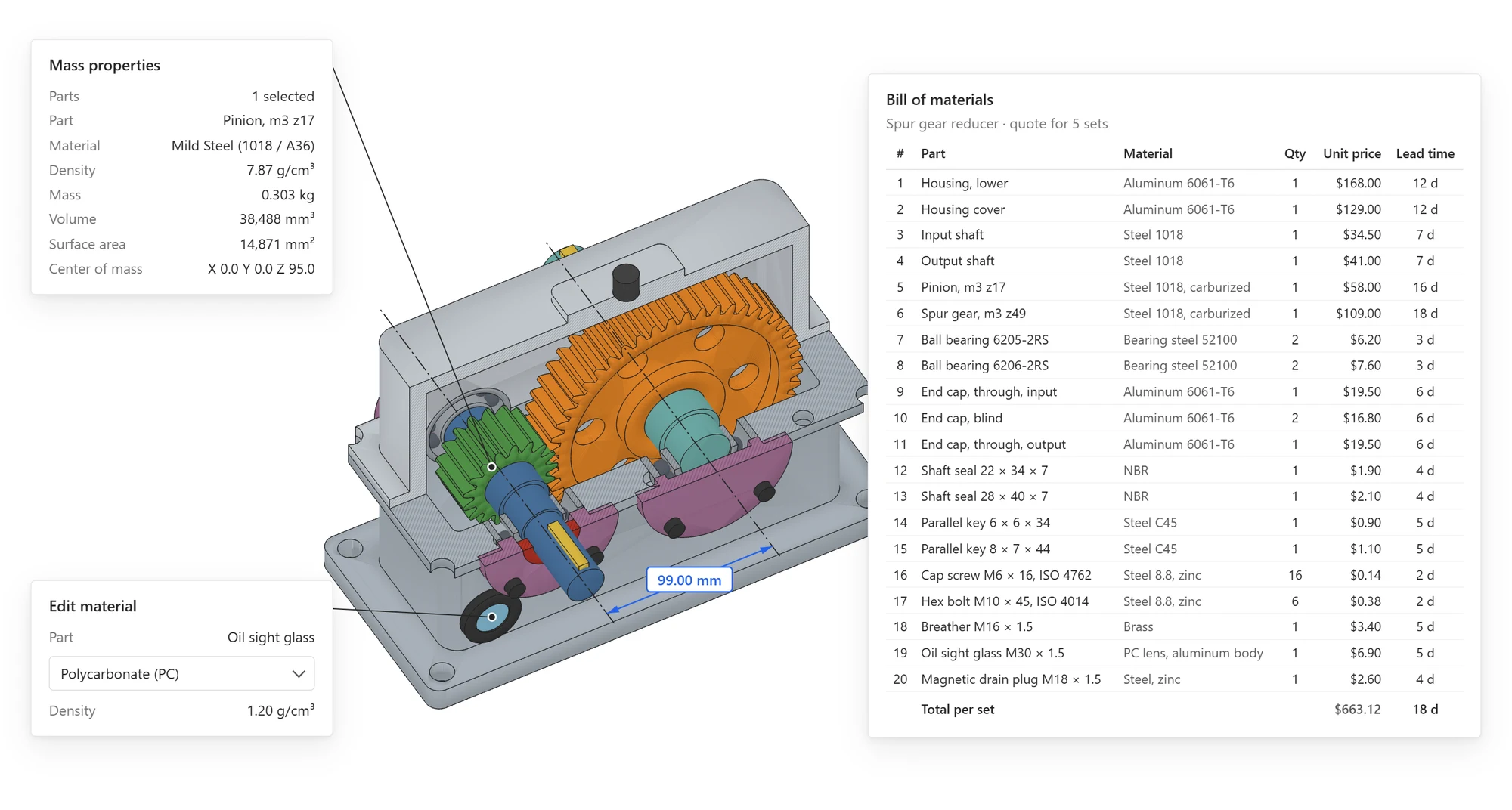
Free for paid work: the free plan allows commercial use. Private files: the free plan keeps your designs private (FreeCAD files stay on your computer). “Add-in only” means the program needs a third-party add-in. Onshape’s AI Advisor answers questions but does not model; Autodesk Assistant in Fusion is a technology preview that edits existing models. Quote built in: Quote this part prices the open model in the material and quantity you pick and checks it for features that are hard or costly to make.
Moving parts out of Fusion
- 01
Export STEP from Fusion
File, Export, STEP. Fusion for personal use keeps STEP export.
- 02
Open it in FabDesk
The part opens as a solid. Change it through its faces or add features on top.
- 03
Keep working
Make the drawing, export STEP again, or price the part for machining or sheet metal.
FAQ
What is the best free alternative to Fusion 360?
For commercial work at no cost: FabDesk in a browser or FreeCAD installed. Both are parametric, export STEP and have no document limit.
Is Fusion 360 still free?
Fusion for personal use is free for personal, non-commercial projects earning under $1,000 a year, with 10 editable documents and print-only single-sheet drawings. The commercial plan is $680 a year.
Can I use Fusion for personal use to sell parts?
No. Autodesk limits personal use to non-commercial projects under $1,000 a year of revenue, outside your main job.
Does Fusion personal use export STEP?
Yes. Autodesk states that STEP export remains available in Fusion for personal use.
How do I move my Fusion designs to another program?
Export each design as STEP from Fusion and open it in the new program. Features and sketch history do not carry over; the shape does.
Which Fusion alternative has CAM?
Of the programs on this page, only Fusion itself combines CAD and CAM. FabDesk instead prices the part for manufacturing with Quote this part.
Is there a Fusion alternative for Linux?
Yes. FreeCAD installs on Linux, and FabDesk and Onshape run in a browser on Linux.
Is Onshape better than Fusion?
For teams that want cloud version control, often. Onshape Free is non-commercial and public; Standard is $1,500 a user a year against Fusion’s $680.
Is Fusion cheaper than SOLIDWORKS?
Yes. Fusion is $680 a year; SOLIDWORKS Standard is $2,820 a year.
Does FabDesk have a document limit?
No. The free plan has no limit on the number of parts you model.
Can FabDesk make multi-sheet drawings?
Yes. A drawing can run to several sheets and saves as PDF or DXF.
Can I use it for commercial work?
Yes. FabDesk can be used for personal and commercial projects, and you keep ownership of what you design.
Sources
- SOLIDWORKS, design plans and pricing
- SOLIDWORKS, system requirements
- SOLIDWORKS, SOLIDWORKS for Makers
- SOLIDWORKS, products for students
- Dassault Systèmes store, SOLIDWORKS xDesign
- Autodesk, Fusion subscription FAQ
- Autodesk, Fusion for personal use
- Autodesk, Fusion for personal use limits
- Onshape, pricing
- FreeCAD, downloads
- Siemens, Solid Edge Community Edition
- Siemens, Solid Edge system requirements
- Shapr3D, pricing
Model without a document limit
FabDesk is free in a browser, for personal and commercial work.