
Free CAD software for Mac
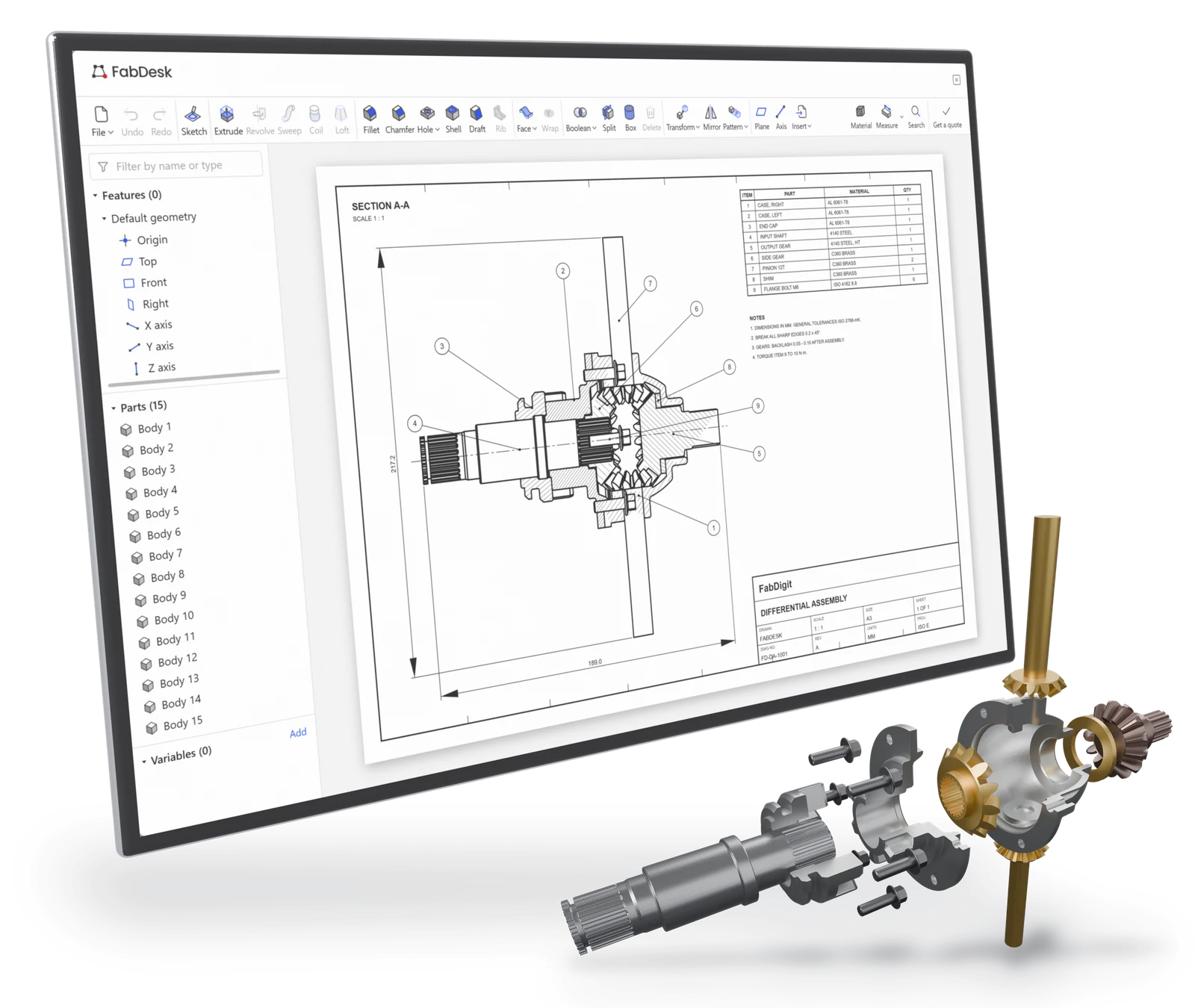
FabDesk runs in Chrome or Edge on macOS, on Apple silicon and Intel Macs alike. Model a part from sketches and features, make its drawing and export STEP, with nothing to install.
Why browser CAD suits a Mac
Most engineering CAD is written for Windows. SOLIDWORKS desktop runs only on 64-bit Windows; on a Mac, SOLIDWORKS supports it inside Parallels Desktop, not Boot Camp, which costs a Windows licence, a Parallels licence, disk space and speed. A CAD program that runs in the browser does not care which system is underneath.
Apple silicon and Intel
FabDesk runs in the browser, so an M-series MacBook and an older Intel iMac get the same program.
Nothing to install
No installer, no Rosetta, no virtual machine. Open the page in Chrome or Edge and start a sketch.
Same files as Windows CAD
Open STEP and IGES files from SOLIDWORKS, Inventor or CATIA users and send STEP back.
Drawings included
Projected, section and detail views with dimensions and GD&T, saved as PDF or DXF.
Start in three steps
- 01
Open Chrome or Edge
FabDesk needs a current Chrome or Edge with WebGL 2 and WebAssembly, both on by default.
- 02
Launch FabDesk
Start a new design or open a STEP, IGES or DXF file from Finder.
- 03
Plug in a mouse if you can
Hold down the mouse wheel and drag to rotate the view. On a trackpad, use the arrow keys to rotate and scroll with two fingers to zoom.
Mac requirements
| Needs | Detail |
|---|---|
| macOS | Any version that runs a current Chrome or Edge |
| Processor | Apple silicon (M1 and later) or Intel |
| Browser | Chrome or Edge, with WebGL 2 and WebAssembly on (the default) |
| Window | At least 768 px wide; a 13-inch MacBook screen is enough |
| Input | A mouse or the trackpad with the keyboard |
Free and low-cost CAD on a Mac
FreeCAD and Fusion install natively on macOS; Onshape, Tinkercad and FabDesk run in the browser. The SOLIDWORKS for Makers desktop app is Windows only; its xDesign package runs in a browser.
| Program | Runs on | Cost | Free forpaid work | Privatefiles | Noinstall | Nosign‑up | AImodeling | Simulation(FEA) | NativeCAD files | 2Ddrawings | Featuretree | STEPexport | Quotebuilt in |
|---|---|---|---|---|---|---|---|---|---|---|---|---|---|
| FabDesk | Browser on Windows, macOS, Linux and ChromeOS | Free plan, commercial use allowed | Yes | Yes | Yes | Yes | Yes | Yes | Yes | Yes | Yes | Yes | Yes |
| FreeCAD | Installed app for Windows, macOS and Linux | Free and open source | Yes | Yes | No | Yes | No | Yes | No | Yes | Yes | Yes | No |
| Fusion for personal use | Installed app for Windows and macOS | Free for non-commercial use, revenue under $1,000 a year | No | Yes | No | No | Limited | Limited | Limited | Limited | Yes | Yes | Add-in only |
| Onshape Free | Browser, iOS and Android | Free for non-commercial work; every document is public | No | No | Yes | No | No | No | Yes | Yes | Yes | Yes | Add-in only |
| Tinkercad | Browser and iPad | Free | Yes | Yes | Yes | No | No | No | No | No | No | No | No |
| SOLIDWORKS for Makers | Installed app for Windows, or a browser-only xDesign plan | $48 a year for either plan, personal projects under $2,000 a year | No | Yes | Limited | No | No | No | Limited | Yes | Yes | Yes | Add-in only |
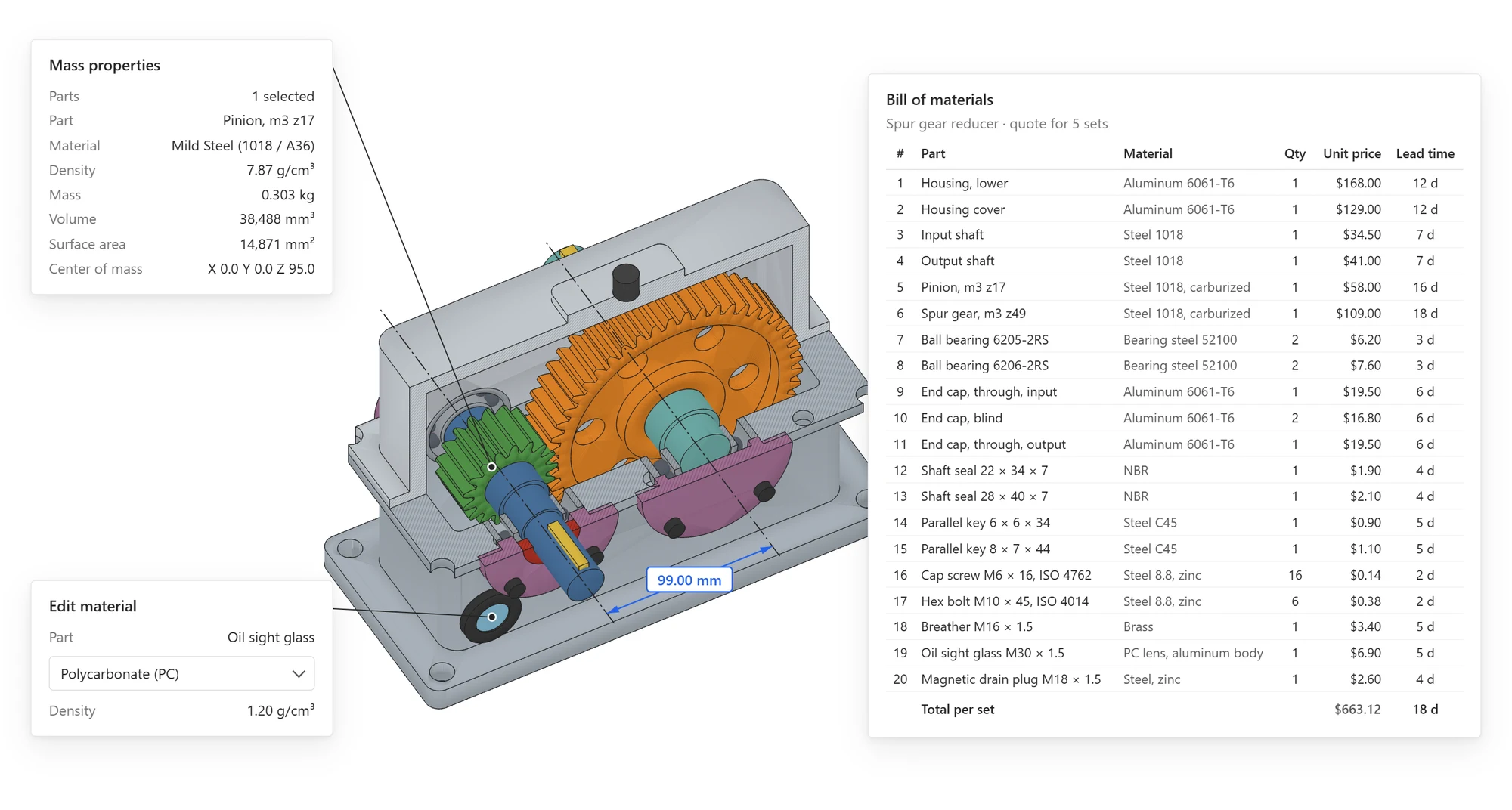
Free for paid work: the free plan allows commercial use. Private files: the free plan keeps your designs private (FreeCAD files stay on your computer). “Add-in only” means the program needs a third-party add-in. Onshape’s AI Advisor answers questions but does not model; Autodesk Assistant in Fusion is a technology preview that edits existing models. Quote built in: Quote this part prices the open model in the material and quantity you pick and checks it for features that are hard or costly to make.
What you can build
Parts are exact solids built from a feature tree: sketch, extrude, revolve, sweep and loft, then shells, fillets, standard holes and modeled threads. Parts go into an assembly with standard mates, and the Drawing tab makes the 2D drawing from the same model.
FAQ
Is there free CAD software for Mac?
Yes. FabDesk runs free in Chrome or Edge on macOS. FreeCAD is free and installs natively; Fusion for personal use is free for non-commercial work; Onshape Free and Tinkercad run in the browser.
Does FabDesk run on Apple silicon (M1, M2, M3, M4)?
Yes. It runs in the browser, so it works the same on Apple silicon and Intel Macs.
Does SOLIDWORKS run on a Mac?
SOLIDWORKS desktop runs only on 64-bit Windows. SOLIDWORKS supports running it on a Mac inside Parallels Desktop, not through Boot Camp; its browser product, xDesign, runs on a Mac directly. If you want browser-based CAD, FabDesk runs in the browser on a Mac.
Which browser should I use on a Mac?
Chrome or Edge. FabDesk needs WebGL 2 and WebAssembly, which both have on by default.
Can I use FabDesk with a MacBook trackpad?
Yes. Two-finger scroll zooms, the arrow keys rotate, Control + arrows pan and F fits the part. With a mouse, hold down the middle button and drag to rotate the view.
Do I need to install anything?
No. FabDesk runs in the browser tab. There is no installer and nothing to update.
Does FabDesk work on an iPad?
Not yet. FabDesk needs a mouse or trackpad and a window at least 768 px wide on a computer.
Can I open STEP files from SOLIDWORKS or Fusion?
Yes. Save the part as STEP (.step or .stp) in the other program and open it in FabDesk. It opens as a solid you can measure, change through its faces and add features to.
Can I make 2D drawings on a Mac?
Yes. The Drawing tab places projected, section and detail views, dimensions, GD&T and a bill of materials, and saves the sheets as PDF or DXF.
Is FabDesk free?
Yes. The free plan covers parametric part modeling, assemblies, 2D drawings and STEP, PDF and DXF export. Modeling needs no account; saving and exporting need a free one.
Can I use it for commercial work?
Yes. FabDesk can be used for personal and commercial projects, and you keep ownership of what you design.
Is it as fast as installed CAD?
For single parts and small assemblies, yes on a recent Mac. Very large assemblies are better served by installed CAD.
Sources
- FreeCAD, features
- Onshape, Free plan
- Autodesk, Fusion for personal use
- Tinkercad, iPad app and file export
- SOLIDWORKS, SOLIDWORKS for Makers
Other programs checked on their own pages on 18 November 2026; plans change, so read the current terms before you choose. Names identify the products compared and belong to their owners.
Start a part on your Mac
Free in Chrome or Edge, with nothing to install.