
Inbox
Stop CC-ing your supplier.
Start a thread.
One Inbox per account, one thread per project. Every quote update, lead-time revision, shipping confirmation, and quality note lives next to the part it’s about — not buried in three different reply-all chains.
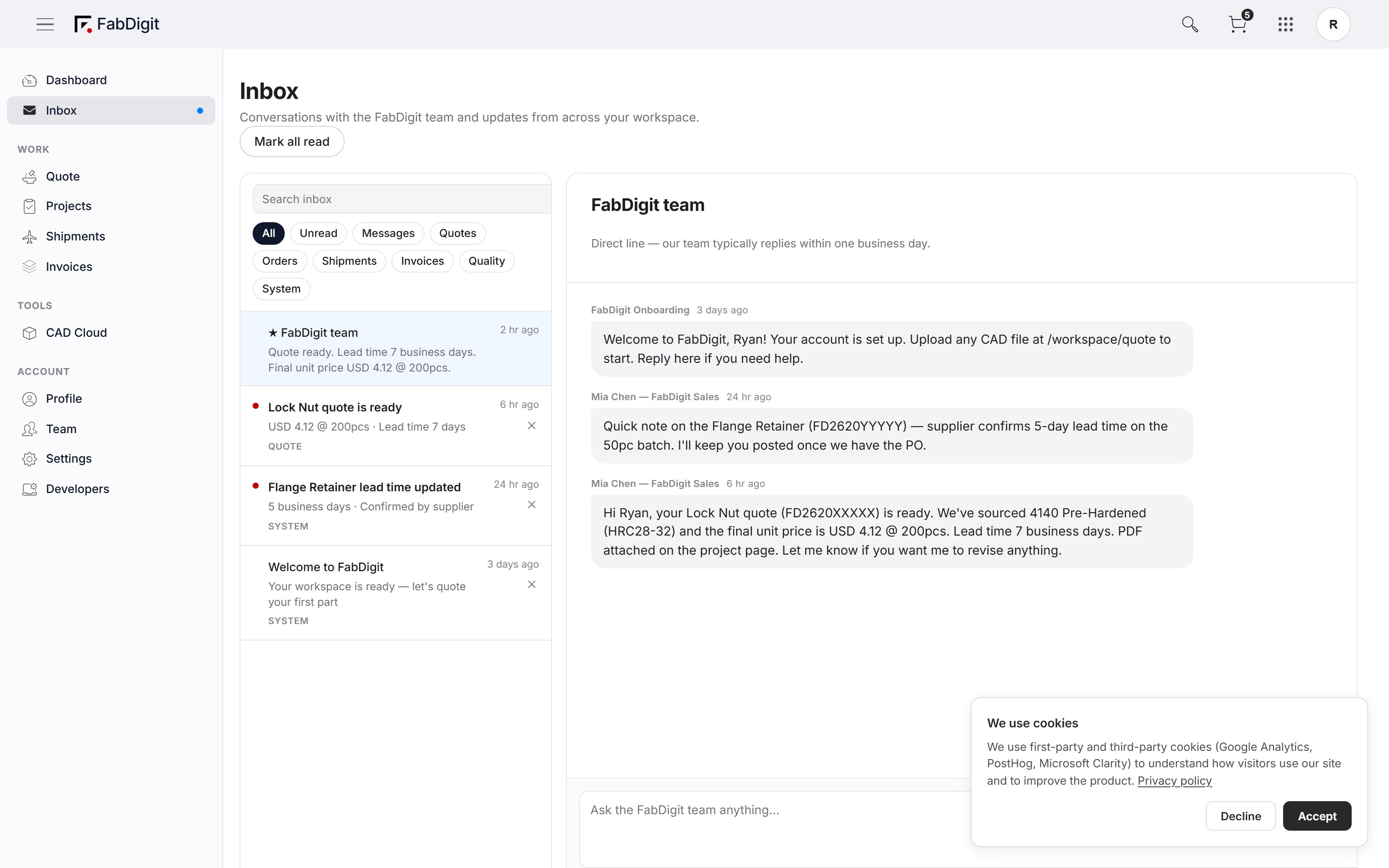
Six filters. Zero rummaging.
Quotes, Orders, Shipments, Invoices, Quality, System events — six top-level filters mean "show me only quote updates" is one click instead of three Outlook searches. Unread counts on each filter so you can clear the backlog category by category.
Top filter row — All, Quotes, Orders, Shipments, Invoices, Quality, System with unread badges.
The conversation stays with the part.
Every project gets its own thread. Open the thread and the spec, price, status, and files are right there — no copy-pasting drawing numbers from one tab to another, no asking "wait, which revision are we talking about." Context already carried itself.
Conversation pane — message thread with spec sidebar showing project no., status, qty, total.
You’re talking to the person quoting your part.
Inbox messages come from the actual FabDigit engineer running your job — not a ticket queue, not a generic account manager. Faster turnaround on DFM questions, fewer "let me check with my team" replies, and a direct line when something needs to ship today.
Message header — Engineer’s name, avatar, response time pill, all in-thread.
New message? Topbar bell. Done.
A quote response, a shipping update, a payment reminder — all surface as a single unread count on the topbar bell. Click the bell, see the latest, jump straight to the thread. No "go check your email" detour.
Topbar notification bell with red badge + dropdown showing the three most recent.
Six months later, find that note in one query.
Search by project number, part name, sender, or phrase — every thread you’ve ever sent or received is indexed. The "what did the engineer say about the tap depth" question takes seconds instead of an inbox archaeology project.
Search bar in the Inbox header — query "tap depth" surfaces matching threads.
One thread per project. One Inbox for the lot.
Sign in to see your active conversations.