
FreeCAD online
FreeCAD installs on Windows, macOS and Linux. When you need your FreeCAD part in a browser, on a Chromebook, a locked-down work PC or someone else’s computer, open the .FCStd in FabDesk and keep working.
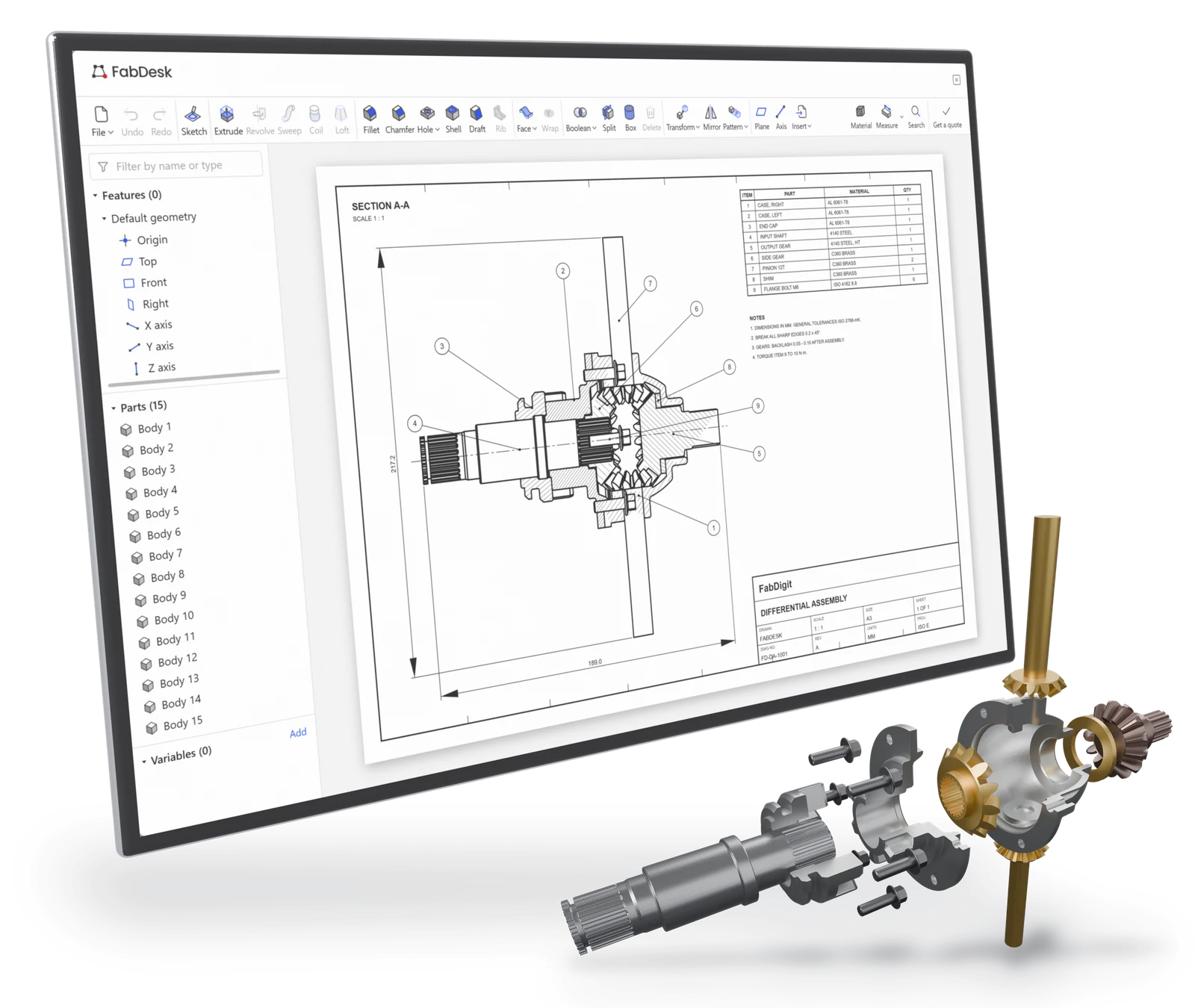
FreeCAD in a browser: the options
freecad.org offers FreeCAD as a download for Windows, macOS and Linux. Without an install, these are the routes.
| Route | What you get | What it needs |
|---|---|---|
| Open the .FCStd in FabDesk | The solids as exact parts: measure, add features, 2D drawing, STEP export | Chrome or Edge on a computer |
| Export STEP from FreeCAD, open it in a browser CAD | The same solids in FabDesk or Onshape | FreeCAD somewhere, once, to export |
| FreeCAD on a remote desktop | The full FreeCAD, feature tree included | A remote machine with FreeCAD installed |
What an FCStd brings into FabDesk
An .FCStd is a ZIP. Next to the feature tree, FreeCAD stores the exact shape of every object; FabDesk reads those shapes, so FreeCAD does not have to rebuild the part.
| In the FCStd | In FabDesk |
|---|---|
| Visible solids (Part, PartDesign bodies) | Yes, as exact parts |
| Positions of bodies | Yes |
| Feature tree, sketches, constraints, spreadsheet | No: the shape comes over, the history does not |
| Hidden objects, construction geometry | No, as FreeCAD itself hides them |
| Sketch-only or 2D drawing documents | No: nothing solid to open |
Our test of 2026-11-19: all 140 FreeCAD-library documents we tried opened, and 138 of 138 STEP files written from them matched the library’s own STEP export in volume.
Open a FreeCAD part in the browser
- 01
Drop the .FCStd
On the FreeCAD file viewer page. The file is not kept.
- 02
It opens in FabDesk
On a computer with a window at least 768 px wide, the part opens as an exact solid, listed under Parts.
- 03
Keep working
Add holes, cuts and fillets, make the drawing, Save As STEP or STL, or price the part with Quote this part.
FabDesk and FreeCAD side by side
Both are free for commercial work. FreeCAD installs and works offline; FabDesk runs in the browser and prices the part.
| Program | Runs on | Cost | Free forpaid work | Privatefiles | Noinstall | Nosign‑up | AImodeling | Simulation(FEA) | NativeCAD files | 2Ddrawings | Featuretree | STEPexport | Quotebuilt in |
|---|---|---|---|---|---|---|---|---|---|---|---|---|---|
| FabDesk | Browser on Windows, macOS, Linux and ChromeOS | Free plan, commercial use allowed | Yes | Yes | Yes | Yes | Yes | Yes | Yes | Yes | Yes | Yes | Yes |
| FreeCAD | Installed app for Windows, macOS and Linux | Free and open source | Yes | Yes | No | Yes | No | Yes | No | Yes | Yes | Yes | No |
| Onshape Free | Browser, iOS and Android | Free for non-commercial work; every document is public | No | No | Yes | No | No | No | Yes | Yes | Yes | Yes | Add-in only |
| Fusion for personal use | Installed app for Windows and macOS | Free for non-commercial use, revenue under $1,000 a year | No | Yes | No | No | Limited | Limited | Limited | Limited | Yes | Yes | Add-in only |
Free for paid work: the free plan allows commercial use. Private files: the free plan keeps your designs private (FreeCAD files stay on your computer). “Add-in only” means the program needs a third-party add-in. Onshape’s AI Advisor answers questions but does not model; Autodesk Assistant in Fusion is a technology preview that edits existing models. Quote built in: Quote this part prices the open model in the material and quantity you pick and checks it for features that are hard or costly to make.
FAQ
Is there an online version of FreeCAD?
freecad.org offers FreeCAD as an installed program for Windows, macOS and Linux. To work on a FreeCAD part in a browser, open the .FCStd in FabDesk or export STEP and open it in a browser CAD.
Can I open an FCStd file online?
Yes. Drop it on the FreeCAD file viewer page. The solids open as exact parts you can rotate, section and measure, and on a computer they open in FabDesk.
Does the feature tree come over?
No. FabDesk reads the shapes FreeCAD saved, not the history. Change the part by its faces or add new features on top.
Can I save it back to FCStd?
No. FabDesk saves its own part file, STEP, IGES, STL and other formats. FreeCAD opens the STEP.
Can I use FreeCAD on a Chromebook?
Only through Linux on ChromeOS, where the device and its administrator allow it. FabDesk runs in Chrome without that.
Is FreeCAD free for commercial use?
Yes. FreeCAD is open source under the LGPL 2.1 and free for any use.
Can I use it for commercial work?
Yes. FabDesk can be used for personal and commercial projects, and you keep ownership of what you design.
Is FabDesk free?
Yes. The free plan covers parametric part modeling, assemblies, 2D drawings and STEP, PDF and DXF export. Modeling needs no account; saving and exporting need a free one.
Sources
Other programs checked on their own pages on 18 November 2026; plans change, so read the current terms before you choose. Names identify the products compared and belong to their owners.
Open your FreeCAD part in the browser
FabDesk is free in Chrome or Edge, on Windows, Mac, Linux and Chromebook.